Hosted in Canada
Your data stays in Canada, locked to your company’s account.
Email built in
Text messages coming soon.
Works on any phone
iPhone and Android apps, or any browser.


PDF reports
Crew sheets, payroll and billing, ready to send.
Fill every shift
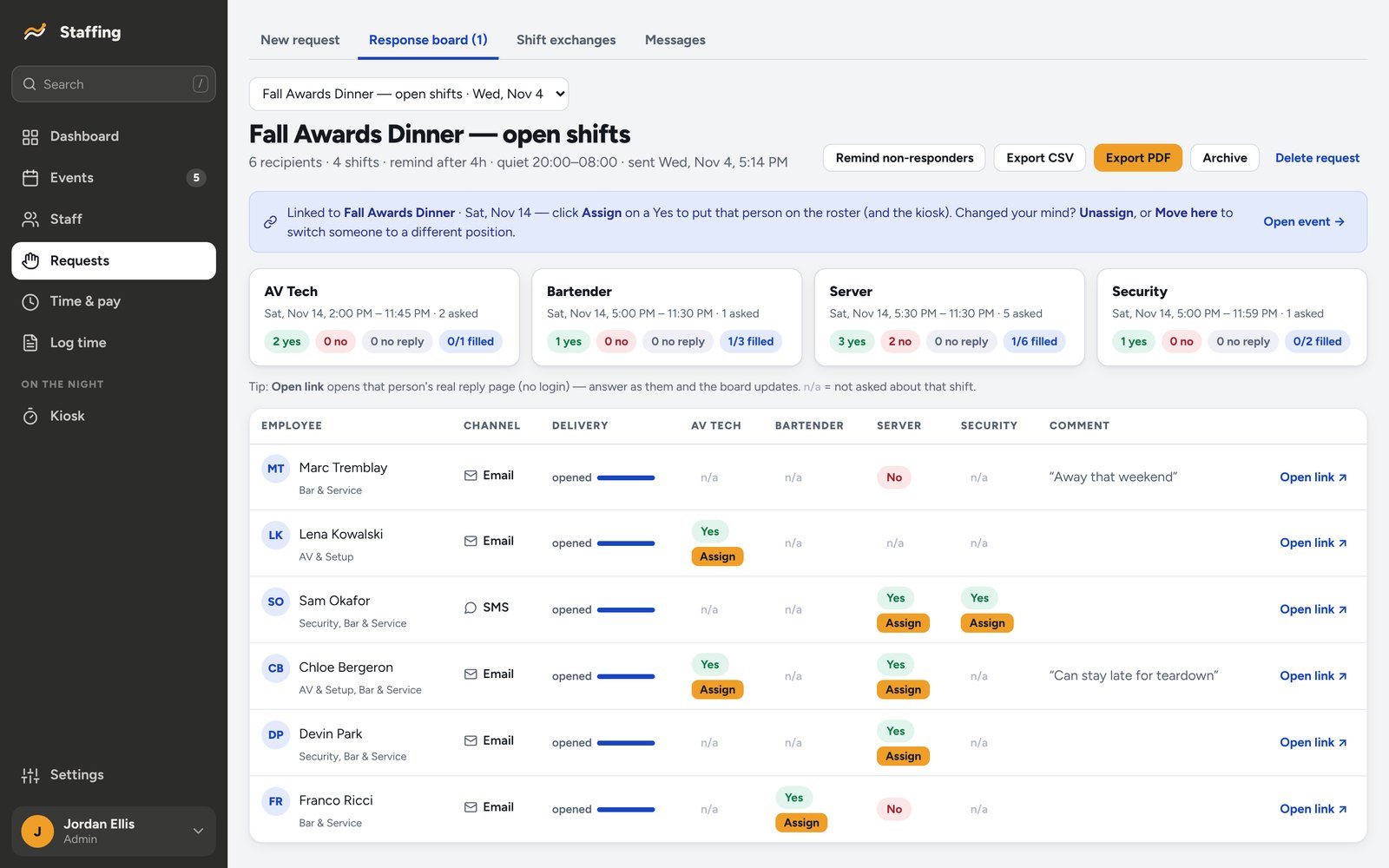
Send the call. Watch it fill.
Ask the right crew — by team, position or certificate — and every reply lands on one board. Assign the yeses with a tap.
- Availability requests by email (texts coming soon), with yes/no per shift and a comment.
- Offer to one person with an optional respond-by time.
- Shift exchanges — crew give away, swap or pick up shifts; you approve or let it run on its own.
- Reminders and quiet hours so nobody gets a 2 AM message.
Events & rosters
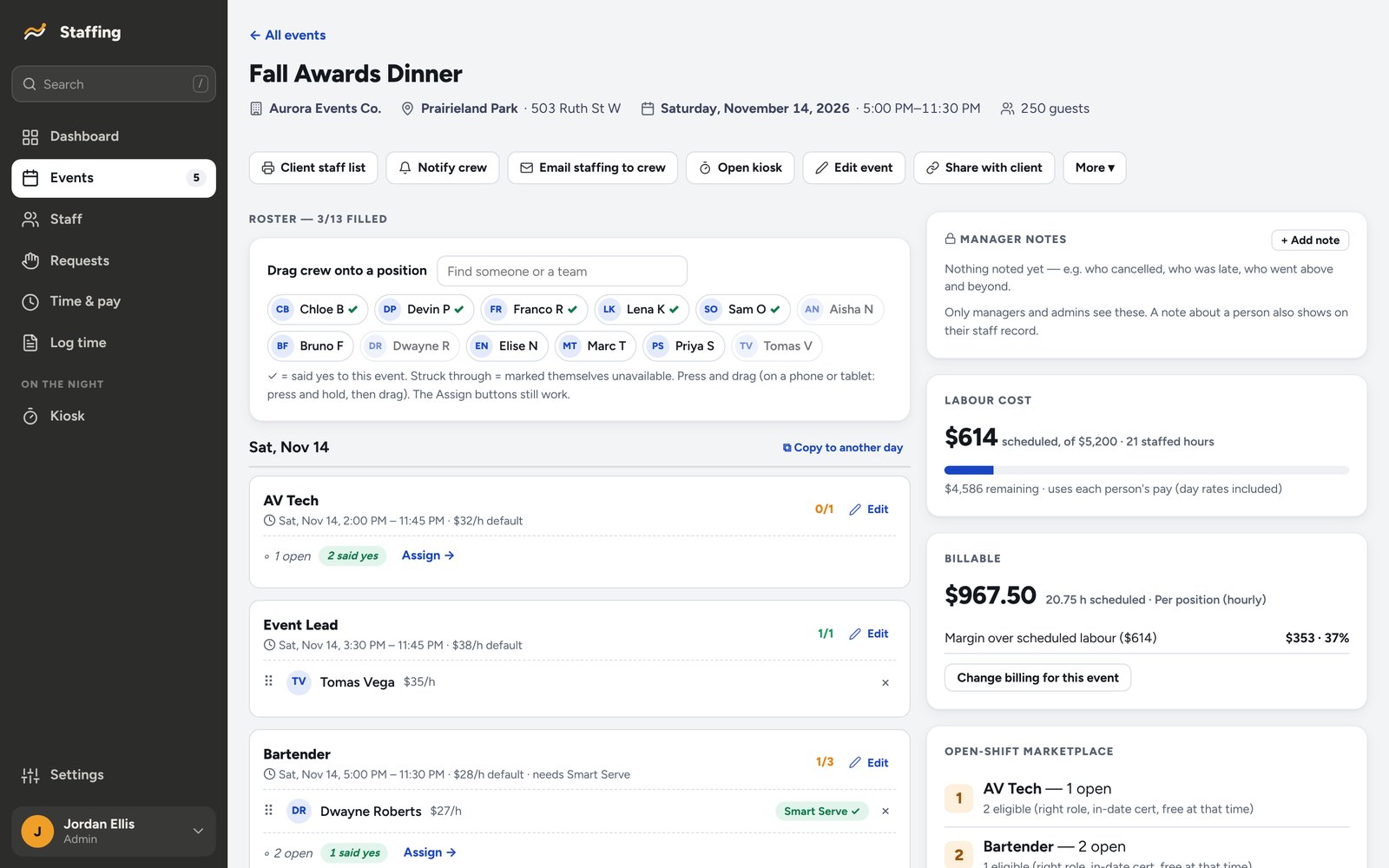
Know the numbers before doors open.
Every position has its own start and end. Every event shows its labour cost, billable amount and margin as you build the roster.
- Month calendar and week-by-person view, colour-coded by how full each event is.
- Certificate checks — expired or missing licences are flagged before you assign.
- Locations within a position — plan 4 at Lobby 1 and 3 at Lobby 2, and it prints on crew sheets.
- Team leads can run their own team's roster.
- Client staff list as a PDF, or a share link for the client.
On-site clock-in
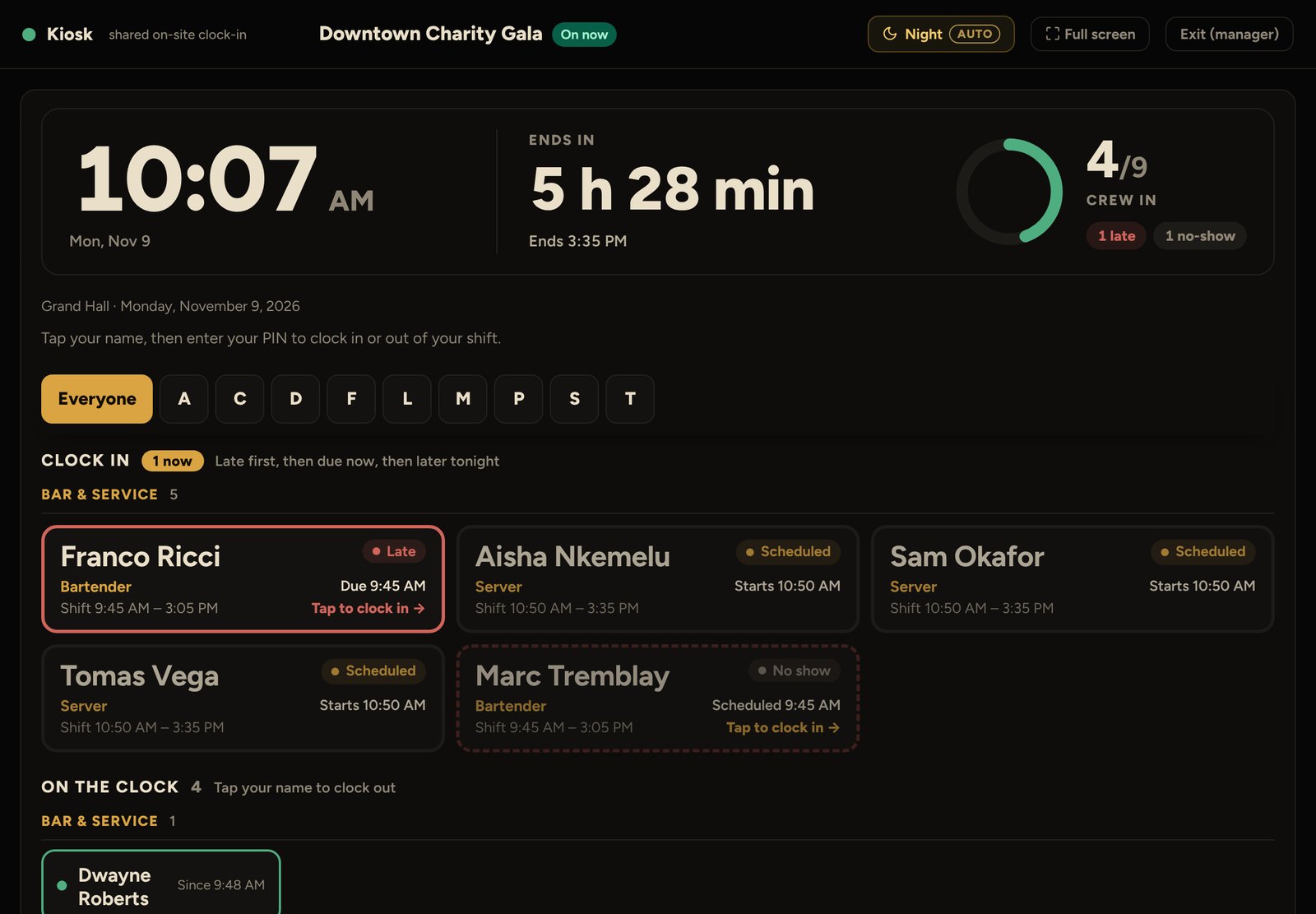
One tablet at the door. Every punch on time.
Crew tap their name and PIN on a shared tablet. Late arrivals and no-shows show up the moment they happen.
- Several tablets per event, each showing only its teams.
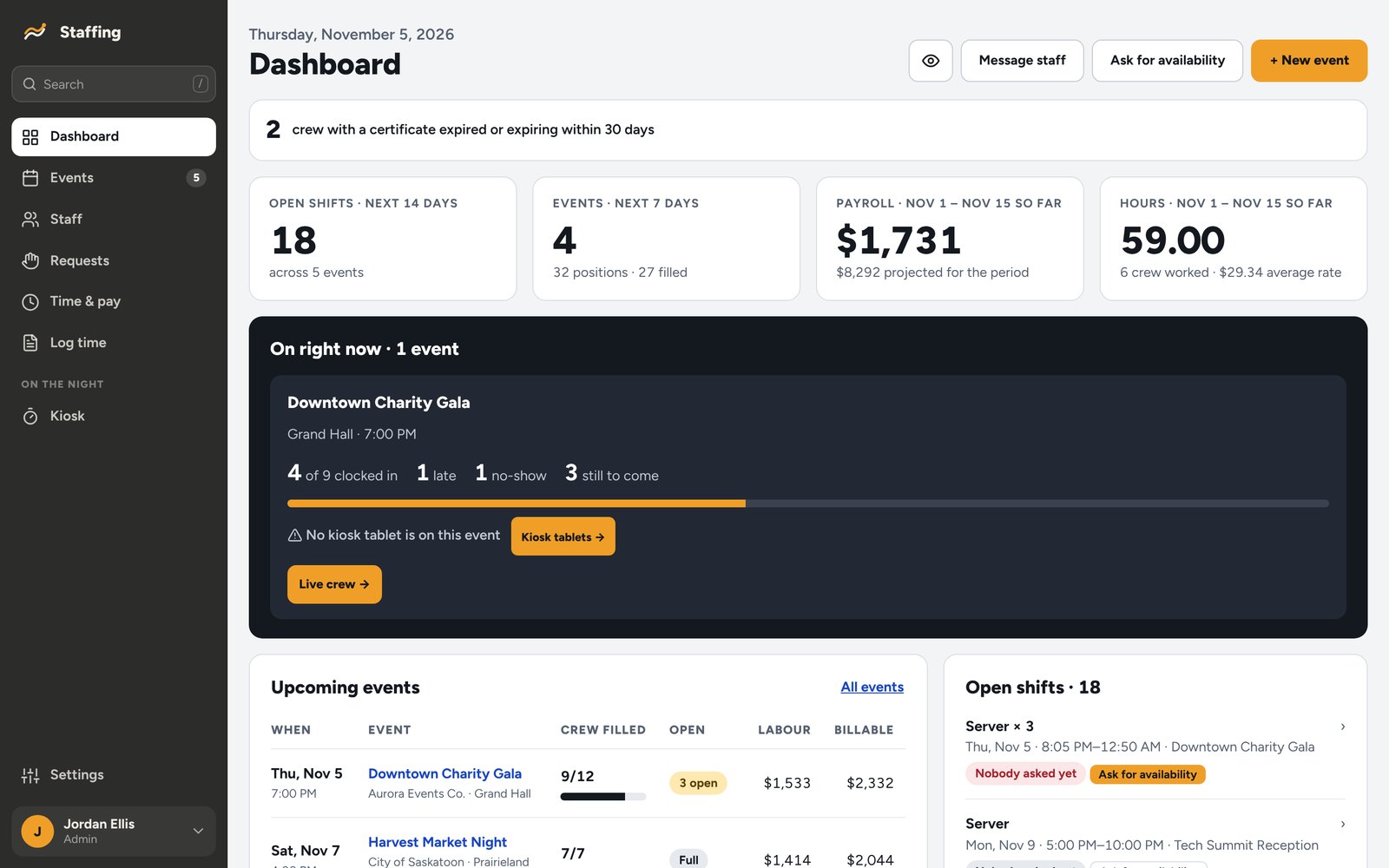
- Tablet status from your phone — see which event each tablet is on.
- Back-to-back shifts split automatically, no extra punches.
- Blank sign-in sheet for sites without a tablet.
Pay & billing
From the last clock-out to payroll.
Hours flow straight from the kiosk into pay periods — no retyping timesheets.
Payroll by pay period
Weekly, every two weeks, twice a month or monthly. Hourly or day rates. Review, then export by team or by person.
Stat holidays handled
Holiday premiums on the right days and holiday pay in the right period — on wages and on client bills.
Shift premiums
Supervisor, position and late-night premiums added to the right hours automatically.
Reasons on the record
Managers note why someone started early or stayed late, and it prints on the payroll report.
Logged time
Office and admin hours outside events, approved before they reach payroll.
Ready for your payroll service
Export hours ready to import into your payroll service (Wagepoint today), plus PDF timesheets and payroll reports.
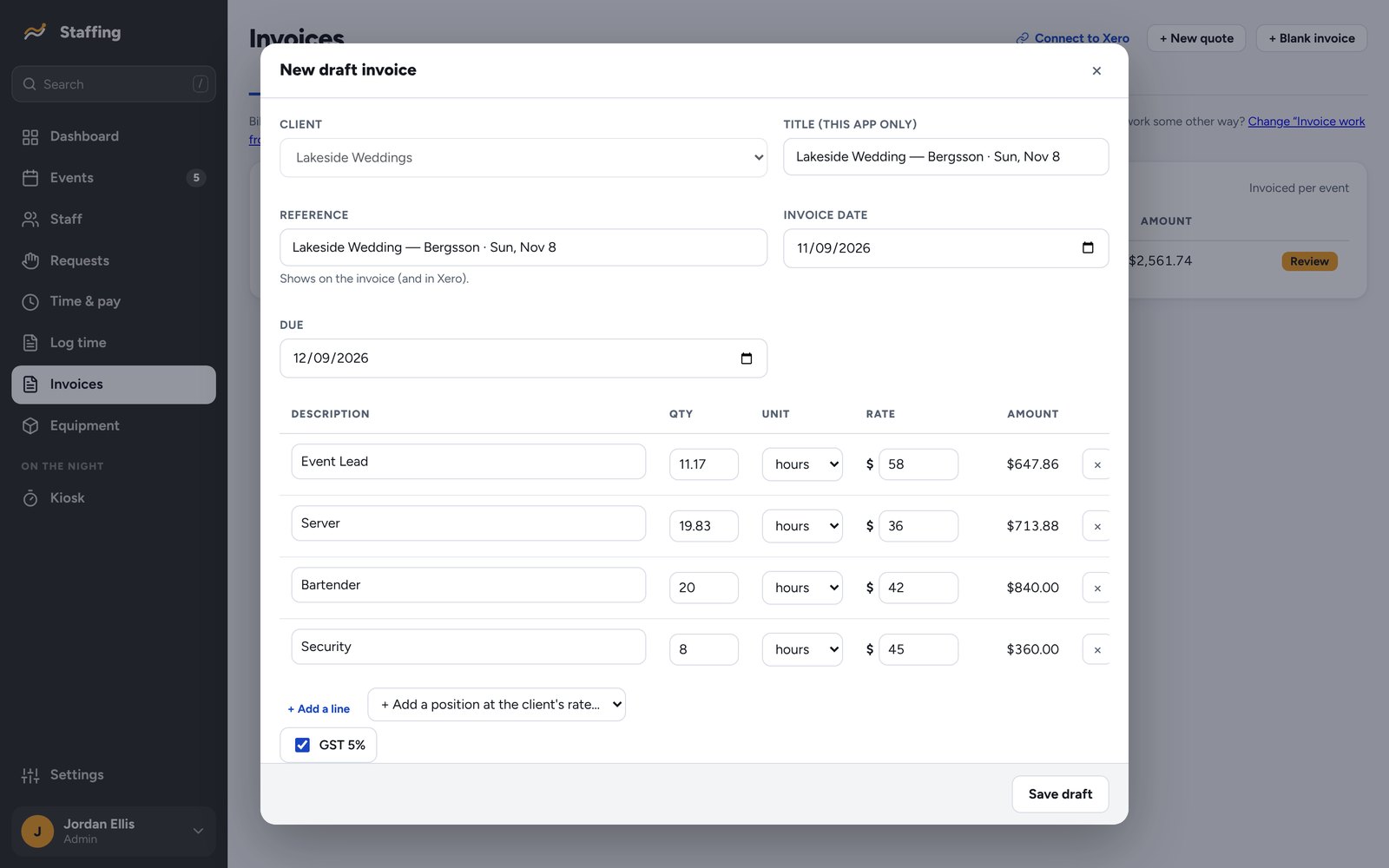
Invoicing & quotesAdd-on · $19/month
Invoices that write themselves.
Finished events become invoice lines at each client’s rates. Check them, approve, and they’re on their way to Xero.
- Bill your way — per position, per team tier or a flat rate per event, invoiced per event, every pay period or monthly.
- One invoice or one per team, with billable logged time and equipment added.
- Quotes from a template or an event’s scheduled crew.
- Xero — approved invoices and quotes go to Xero, and paid status comes back.
- Nothing billed twice — missing bill rates are flagged before you send.
EquipmentAdd-on · $49/month
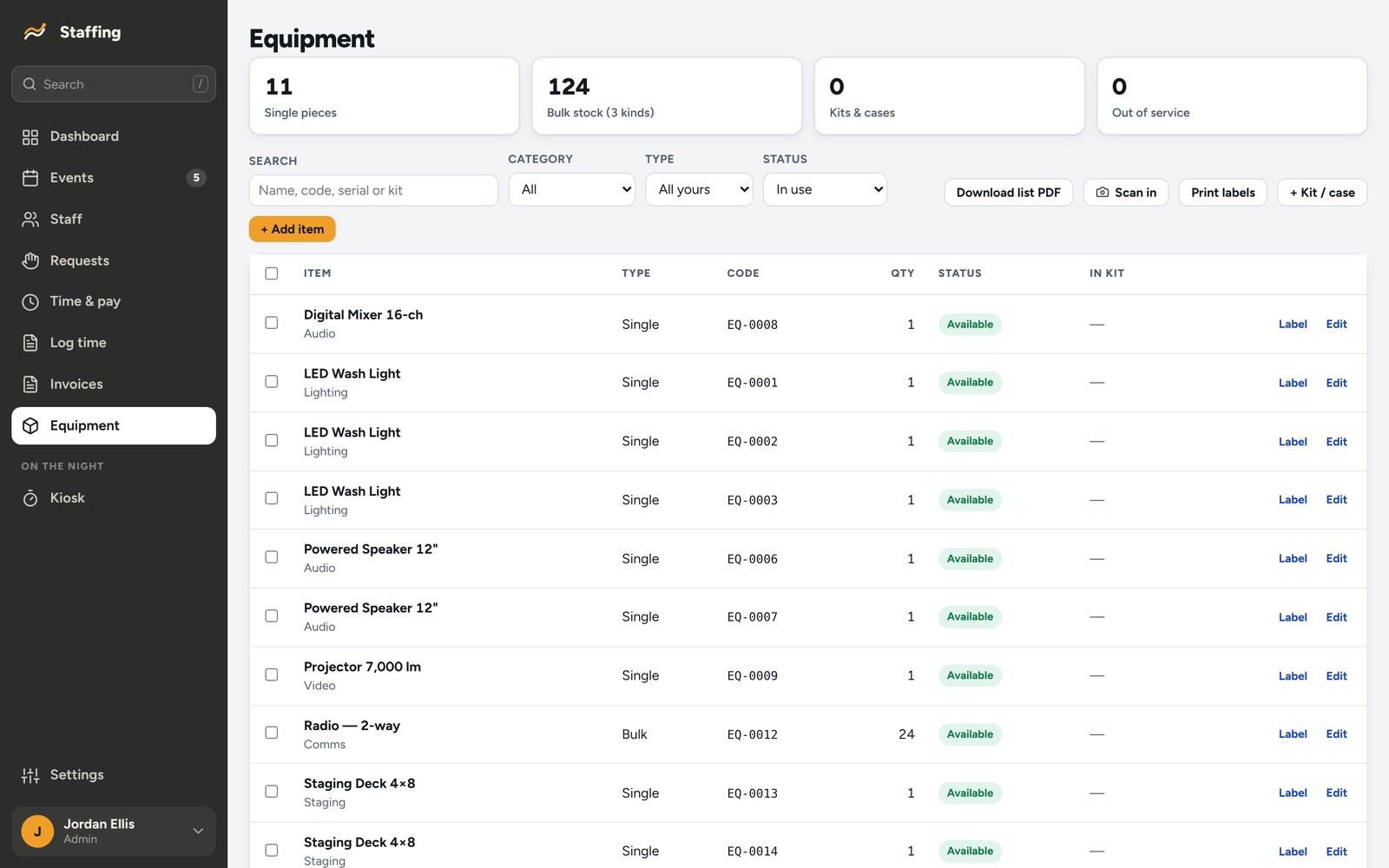
Track your gear like your crew.
Know what you own, where it is, and what it earns — on the same events as your crew.
- Inventory — single pieces, bulk stock, and kits or road cases that hold other items.
- QR labels printed on label tape, with your logo.
- Scan out and in from a phone, against each event’s gear list.
- Sub-rentals and client gear tracked alongside your own.
- Billed on the invoice at day rates, with a cap per event.
For your clients
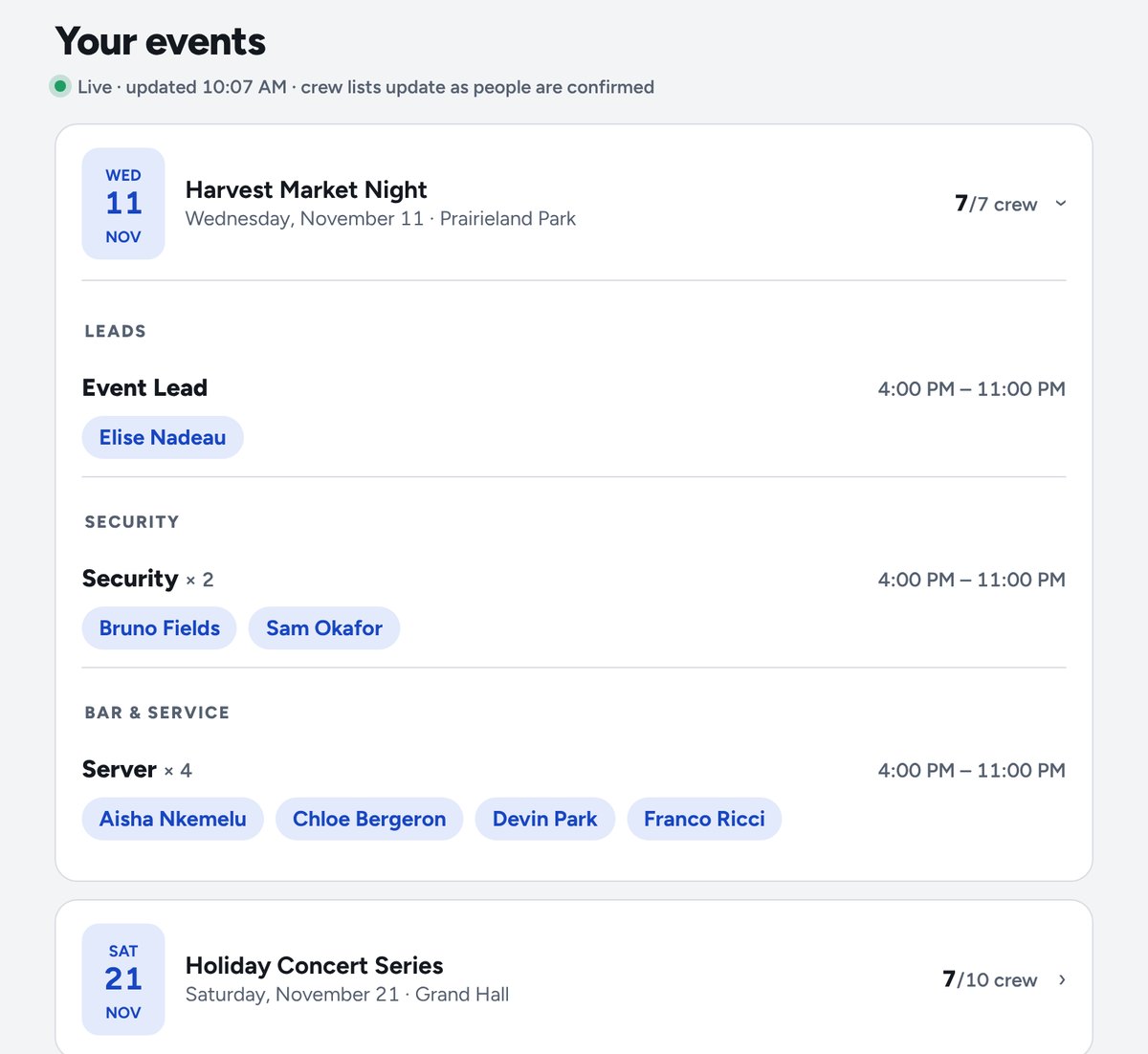
Your clients see who’s coming.
Each client gets a private portal with their upcoming events and the confirmed crew for each — updated live as people are confirmed.
- Their events only — every client sees just their own.
- Fewer “who’s on tonight?” calls — crew lists fill in as you schedule.
- View as client — admins see exactly what each client sees.
For your crew
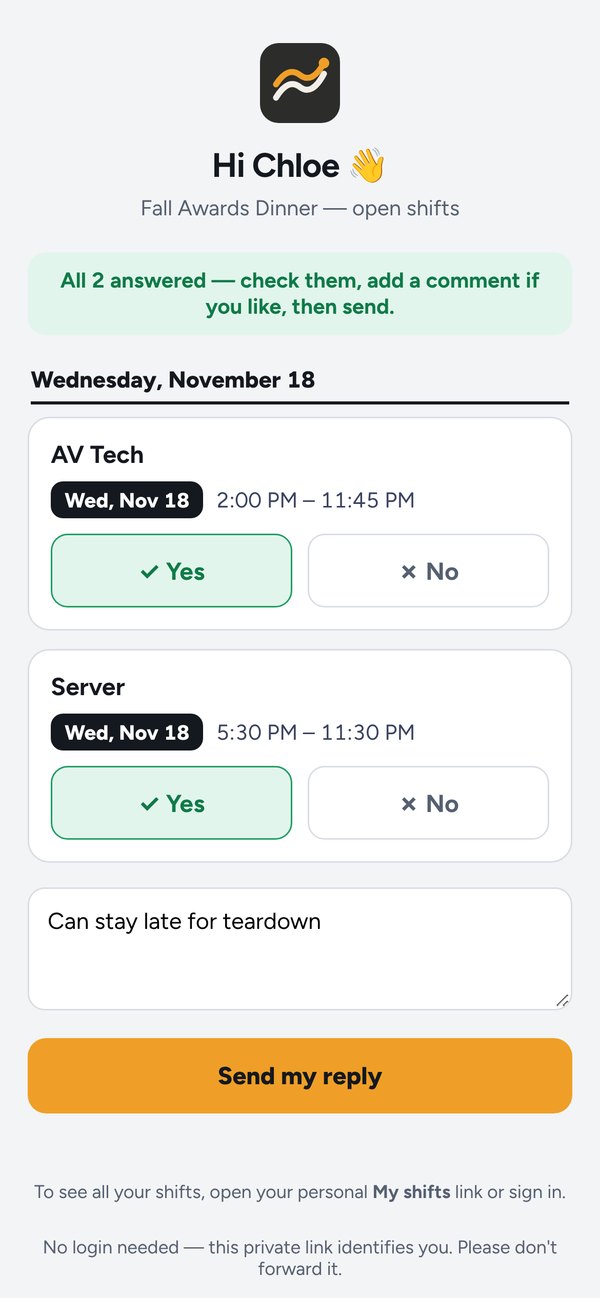
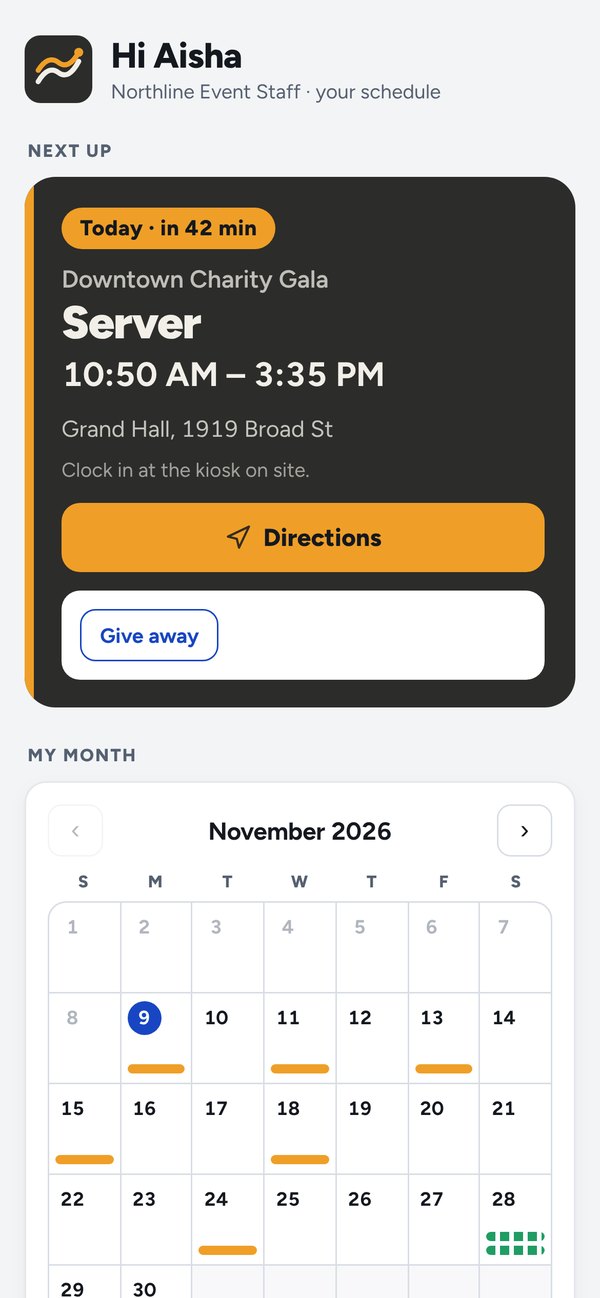
Every shift in their pocket.
Each crew member gets a private link: their next shift, their month, directions to the venue and a one-tap reply to requests.
- Self setup — crew pick how to be reached, set their PIN and add certificates.
- Day-before reminders at a time each person picks.
- Announcements to everyone, a team or an event's crew.
- Log time — office and admin hours, for the people you allow.
- Onboarding forms — TD1, direct deposit and signed documents, all in the app.
- Calltide app with push alerts — on the App Store for iPhone and on Google Play for Android.
Your company, your brand
It looks like yours.
Your logo and colour
Crew see your company name on every page and email.
Your web address
Run it on your own domain, with email sent from your own address. Add-on, $19/month.
Admin-only insight
Reliability scores, ratings and manager notes that crew never see.
See it with your own events.
Send a few positions and one upcoming event. We load them and run a real call with you, from request to clock-out.
Request a demo